
 Make a plan.
Find your kind of Looper
Compare services, photos, experience and rates. Pick the activity that feels right for you.
RentMe. by Apollar
A new skill. A fresh perspective. A reason to get outside. Find a Looper, talk through your plans and make your next activity happen.
Build 39 preview · Version 1.1.2 on TestFlight.
The public App Store version may differ.
From “one day” to a plan
Compare services, photos, experience and rates. Pick the activity that feels right for you.
Use in-app chat to discuss your goals, meeting place and the practical details before you request.
Send your booking request, wait for acceptance and confirm the details and payment shown in the app.
Two roles. More possibilities.
For Explorers
Discover Loopers, compare their offers and chat before sending a request. Keep your plans and conversations in one place.
For Loopers
Present your coaching, tutoring or guiding services. Add portfolio photos, set your rates and availability, and manage requests.
A look at the next update
Real interface previews from build 39, currently on TestFlight. Essential setup is separate from optional Premium and digital tools.
Save and manage cards through Stripe. Access Apple Wallet setup on compatible devices. Saving a card does not charge a booking.
Settings → Payments → Payment methods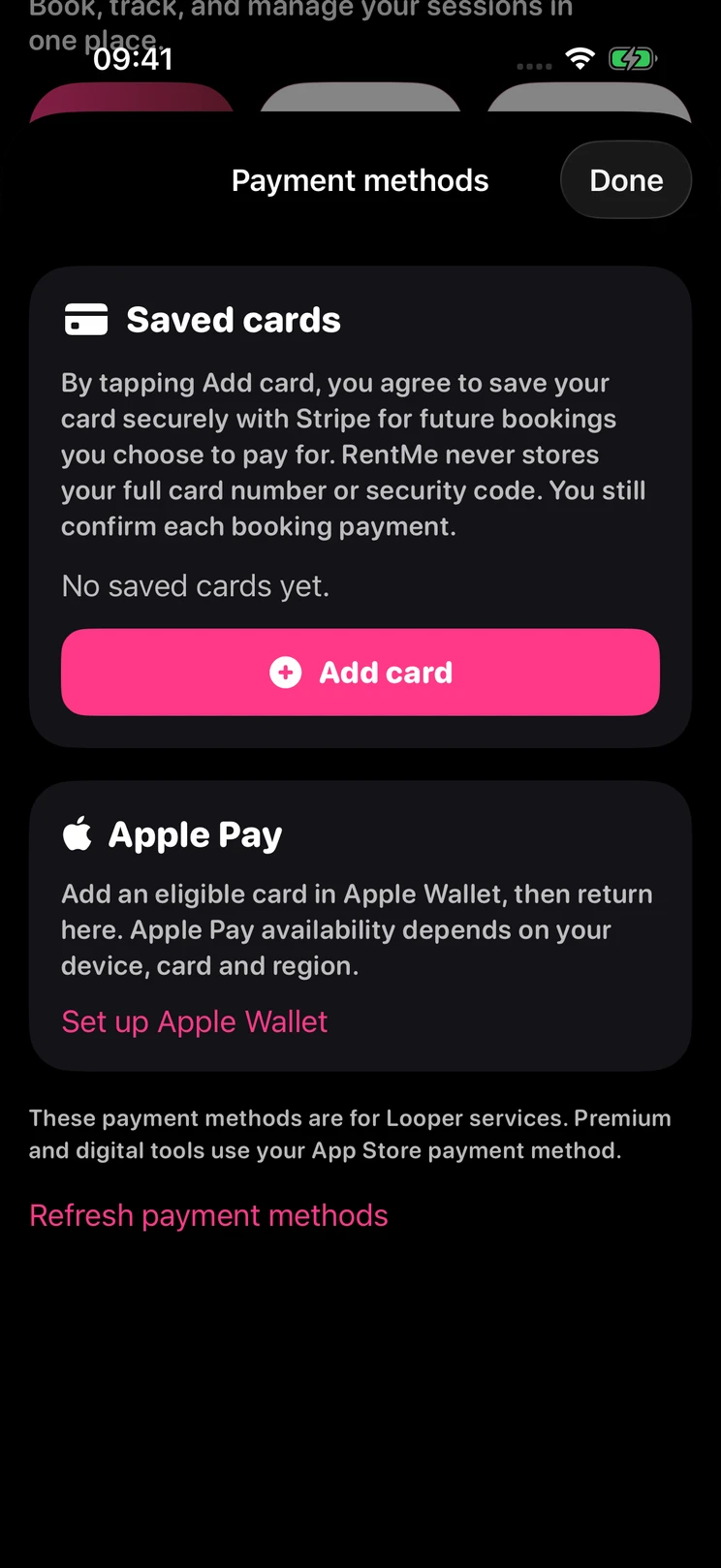
Clickable missions open the next step for your role, up to setup Level 5. Know what is left to do without searching through every screen.
Settings → Missions / Account setup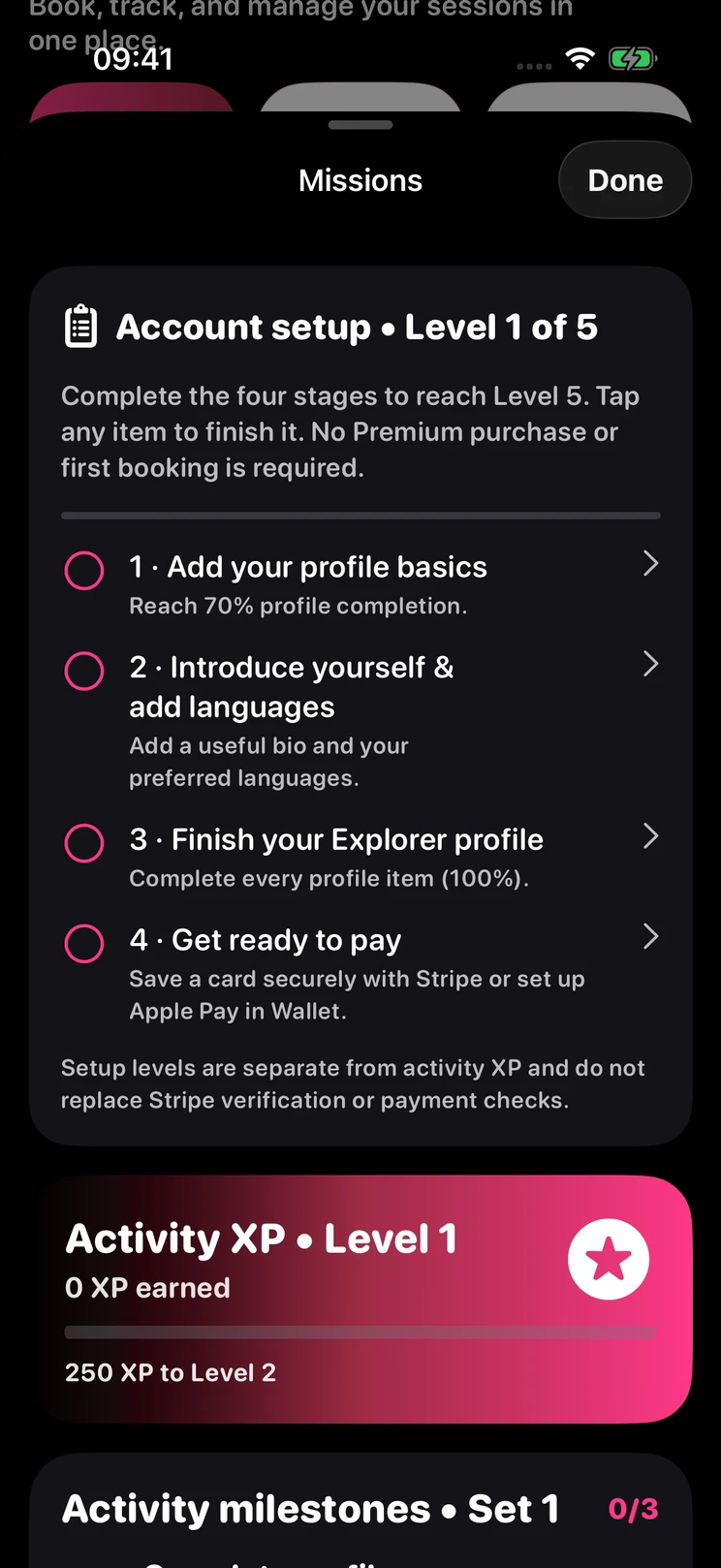
Apple Pay requires a compatible device and eligible card. Payments and payouts depend on your country, Stripe eligibility and account status. Booking payments always require confirmation.
Clear expectations
Review the offer, agree on the practicalities and use the support tools when you need them. A badge is information, not a guarantee.
Visit RentMe supportEligible Loopers complete Stripe identity and payout onboarding. This is not a background check or a guarantee of a service.
Verification & payout helpCheck the booking amount in the app. Optional Premium and digital tools use Apple In-App Purchases, separately from Stripe service payments.
Cards & Apple Pay helpUse reporting, blocking and support paths. In immediate danger, contact local emergency services first.
Privacy & account helpA few things to know
Loopers offer coaching, tutoring, guiding and other professional activities. Browse each profile for the services, rates and availability offered. Activities may be outdoors, indoors or online. Availability depends on your location and participating Loopers.
Explore a profile, chat about your plans and send a booking request with the practical details. Your request needs the Looper’s acceptance. Check the booking details and confirm any payment in the app; saving a card does not charge a session.
Check the verification information shown on the profile. Stripe identity and payout onboarding applies to eligible Loopers; it is not a background check, a professional qualification check or a guarantee of a service. Review the profile carefully and use Report, Block or Support if needed.
The build 39 TestFlight update adds Settings > Payments > Payment methods for saving and managing cards through Stripe, plus access to Apple Wallet setup. Apple Pay requires a compatible device and eligible card. Payment methods depend on country and eligibility; every booking payment still requires your confirmation.
Eligible individual providers complete Stripe Express identity and payout onboarding from their Wallet. RentMe’s platform commission is 20% of the service amount. Payout release depends on session completion, the safety window, account eligibility and any open report or dispute. Processing fees may apply; check the amount shown in the app.
Onboarding is intended for eligible individuals in the United States, United Kingdom, supported European Union countries, Norway and Liechtenstein. Iceland is currently unavailable. Stripe must approve your account and capabilities; being in a supported country alone does not guarantee approval. Confirm your actual country of residence during setup.
No. Essential account-setup missions are separate from optional Premium subscriptions, credits and digital tools. Digital purchases use Apple In-App Purchases. Payments for real-world services use Stripe. The app shows the applicable price and terms before purchase.
Version 1.1.2, build 39 is currently being tested on TestFlight. The App Store button opens the currently published version, which may not yet include the features previewed here. Existing testers can use their TestFlight invitation; this website does not grant beta access.
Coaching. Tutoring. Guiding.
App Store availability and participating providers vary by location. Build 39 features shown above are currently in TestFlight.